 Laser MTS
In short
- The best products to start with are the ones you make from one template with a different name or date: tags, keychains, signs, coin banks, gift boxes.
- The US season runs from Valentine’s Day to Christmas with Mother’s Day, graduations and the fall wedding peak in between — holiday listings should be live by September, not December.
- Personalization is your edge over the big-box store, but it needs the spelling confirmed with the customer before you cut.
- Price comes from a calculation (material, laser time, your labor, markup), not from what others charge — the full worksheet is in our pricing guide.
- Cartoon characters, logos and brand names are protected by copyright and trademark law — selling them without a license is infringement, and marketplaces take such listings down.
Where to start: a product you can repeat
A one-off custom design takes an hour at the computer and sells once. A repeatable product has one file, proven settings, a known cut time and photos you took once — each order only changes the name or date. So the first question isn’t “what can my laser do” but “what can I cut a hundred times without touching the file”. Three marks of a good product:
- It fits on one sheet and in one small package — shipping a 24 × 16″ box costs more than the product; a small tag goes in a padded envelope.
- It has an obvious occasion — baby shower, graduation, wedding, birthday, Christmas. The buyer knows who it’s for and when.
- It can be personalized in seconds — a name, a date, a short line, a photo.
Products laser shops actually sell
The list below comes from watching laser shops on marketplaces like Etsy and the orders that keep coming back — no rankings or percentages, because those depend on season, price and photos far more than on the product itself.
| Product | Material | What to personalize | Watch out for |
|---|---|---|---|
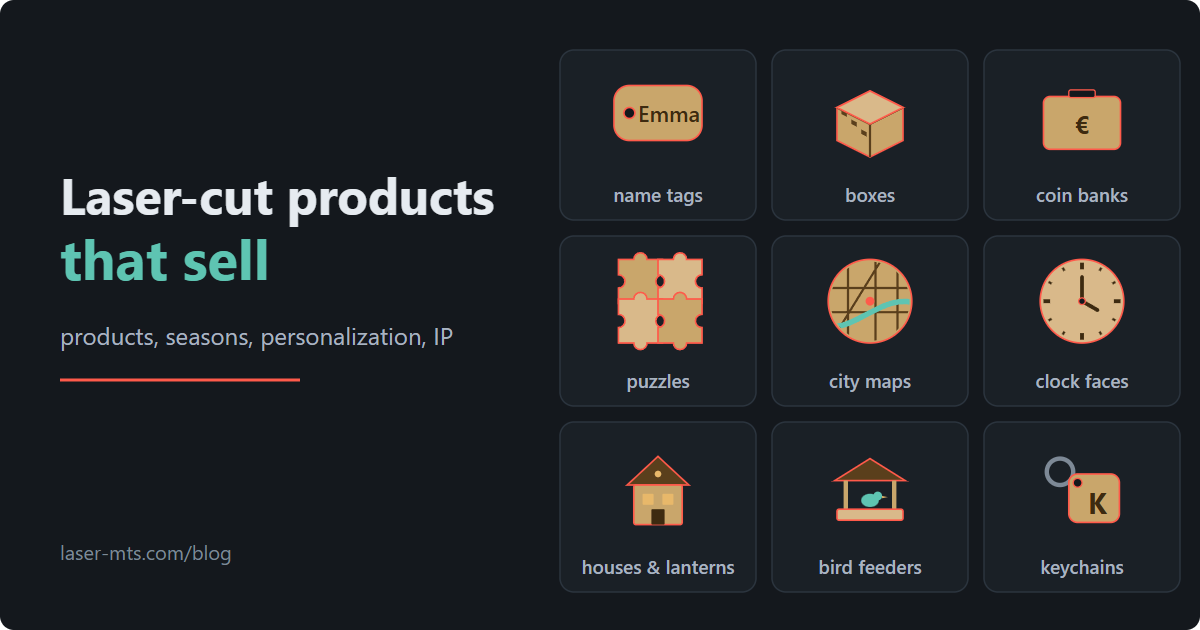
| Name tags and signs | 1/8″ plywood, acrylic | name, birth date, a line for grandma | long names don’t fit the frame — test the longest one before a batch |
| Keychains | 1/8″ plywood, acrylic, leather | initial, name, a customer’s company logo | ring hole with clearance, edge wiped clean of soot |
| Gift boxes | 1/8–5/32″ plywood | engraved lid, lattice pattern, text on the sides | finger joints depend on measured sheet thickness and kerf |
| Coin banks | 1/8–5/32″ plywood | savings goal (“bike fund”), amount, boxes to tick off | the slot must take a bill folded in half |
| Photo and name puzzles | 1/8″ plywood, hardboard | engraved photo, a child’s name in big pieces | small pieces drop through the honeycomb — support the sheet |
| City maps | plywood, acrylic backing | wedding venue, first apartment, hometown | credit the map data source if its license requires it |
| Clock faces | 5/32–1/4″ plywood | numerals, a line of text, a wedding date | center hole and face thickness must match the movement shaft |
| Houses, lanterns, dollhouses | 1/8–5/32″ plywood | a name over the door, number of rooms | LED tea lights only in a lantern — never a candle |
| Bird feeders | exterior-grade plywood, solid wood | text on the gable, a small plaque | outdoor finish (oil or varnish), drainage holes |
| Seasonal decor | 1/8″ plywood, felt, card stock | ornaments with a name and year, cake toppers, place cards | the season lasts a few weeks — production has to start earlier |
Notice that nearly everything here is a gift. The customer isn’t buying plywood; they’re solving “what do I get my mother-in-law”. Your photo, description and packaging should answer that question.
The occasion calendar — when to start production
A shopper looks for a Mother’s Day gift two weeks ahead, but by then you need the file, the photos, a stack of plywood and time to ship. So a shop calendar counts backward from each occasion: listings live about 6–8 weeks before, orders cut 2–3 weeks before, the last packages out a week before the date.
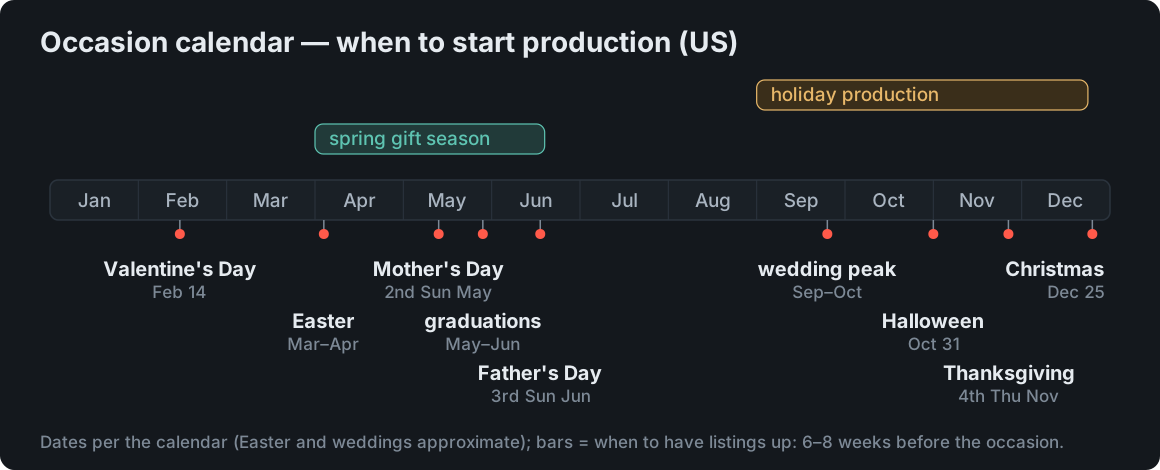
- February — Valentine’s Day (February 14): hearts, couple keychains, jewelry boxes.
- March–April — Easter (a movable date): eggs, bunnies, basket tags, table decor.
- May — Mother’s Day (second Sunday of May) and Teacher Appreciation Week (the first full week of May): keepsakes with a date, small signs, plaques for the classroom door. Graduation season starts in May and runs into June: name plaques, keepsake boxes, cake toppers with the year.
- June — Father’s Day (third Sunday of June): keychains, phone stands, bottle openers with a handle.
- September–October — wedding peak: according to The Knot’s Real Weddings Study, October has been the most popular wedding month for years, with September second. Place cards, table numbers, cake toppers, ring boxes, venue maps — and couples book months ahead.
- October — Halloween (October 31): bats, pumpkins, garlands. This is also when holiday production starts: ornaments, advent calendars, gift boxes, lanterns.
- November–December — Thanksgiving (the fourth Thursday of November) and Christmas. Listings should be up by September: Etsy sellers consistently report that holiday searches ramp up in early October and that the marketplace favors listings that have already gathered views and sales, so a listing published in December is late.
Between occasions there are birthdays, baby showers, housewarmings and businesses — logo keychains, desk signs, coasters with a café’s name. Those come all year, often in bigger batches.
Personalization — your edge over the store
Anyone can buy a ready-made ornament at a big-box store. An ornament with a child’s name and the year of their first Christmas — only from you. Personalization is what a customer pays more for and waits a few days for, and for you it’s still the same file with a different line of text. A few rules that save headaches:
- Limit the options. A name, a date, one of three fonts. A customer choosing from twenty fonts writes messages instead of ordering.
- Show the limits. Say in the listing how many characters fit the frame and show the longest name. A tag with “Ava” and one with “Alexander” are two different products.
- Confirm the spelling before cutting. “Zoe” or “Zoë”, “Katelyn” or “Caitlin” — a typo on cut plywood is your loss. For batches from a spreadsheet, see our guide to batch personalization.
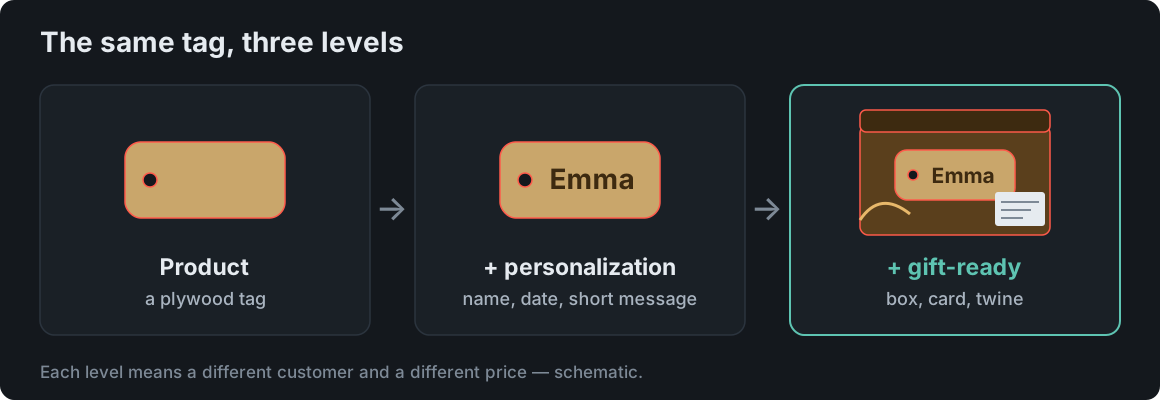
- Packaging is part of the product. The same tag in a bag and in a box with a card are two price levels.
Pricing and margin — from a worksheet, not a guess
The most common beginner mistake: pricing “like everyone else” or “material times three”. On a tag the material is a few cents; the real cost is your time — the file, setting up the laser, popping parts out, cleaning, packing, answering messages. The full worksheet on a 50-tag example — hourly rate, scrap and quantity breaks — is in our guide to laser cutting pricing. Three things to take from it here:
- A minimum order. One tag with a new file costs as much as preparing the file. Sell single pieces from a ready catalog of designs where only the name changes.
- Bundles raise the order value at almost the same handling time: tag + keychain + card in one box.
- Less scrap and fewer laser minutes are the only places you cut cost without cutting price — tighter sheet layouts and shorter cut paths.
Product photos — where the sale is won
In search results the customer sees a thumbnail, not your laser. A few rules that don’t need a studio:
- Daylight from the side (by a window, no flash) shows engraving as shadow instead of a gray smudge. Engraving on Baltic birch is light — shoot at an angle, not straight down.
- First photo landscape or square, product in the center. Etsy’s official image requirements recommend photos of at least 2000 px and a horizontal or square first image, because thumbnails get cropped. Other marketplaces crop similarly.
- Show scale — the tag in a hand, the box next to a mug. “I thought it was bigger” returns come from missing scale.
- One photo of the personalization with a sample name and one of the packaging. Customers buy what they see — if the box isn’t in the photo, they don’t know they get one.
- A consistent backdrop across the shop: the same board, the same linen. The shop then looks like a brand, not a pile of random listings.
Licensed characters, logos and designs — what you can and can’t sell
The request “can you make one with Mickey Mouse” will come quickly. The answer is inconvenient but simple:
- A character from a cartoon, movie or game is a copyrighted work. Your own hand-drawn version (fan art) is a derivative work — selling it needs permission from the rights holder. Fan art is not automatically fair use.
- Making one for your own kid is fine; listing it is not. Copyright exceptions cover private use, not commerce.
- Character names, likenesses and brand logos are registered trademarks. Putting them on goods you sell is trademark infringement on top of the copyright claim — the owner can demand you stop and claim damages.
- Marketplaces act fast. Etsy’s intellectual property policy makes sellers responsible for having the rights to what they list, and it terminates shops that collect repeat infringement notices. Rights holders file takedowns directly through Etsy’s reporting portal.
- The public domain isn’t a loophole. The first version of Mickey Mouse from “Steamboat Willie” (1928) entered the public domain on January 1, 2024, but later versions of the character remain protected and Disney keeps its trademark rights — the same goes for other classics.
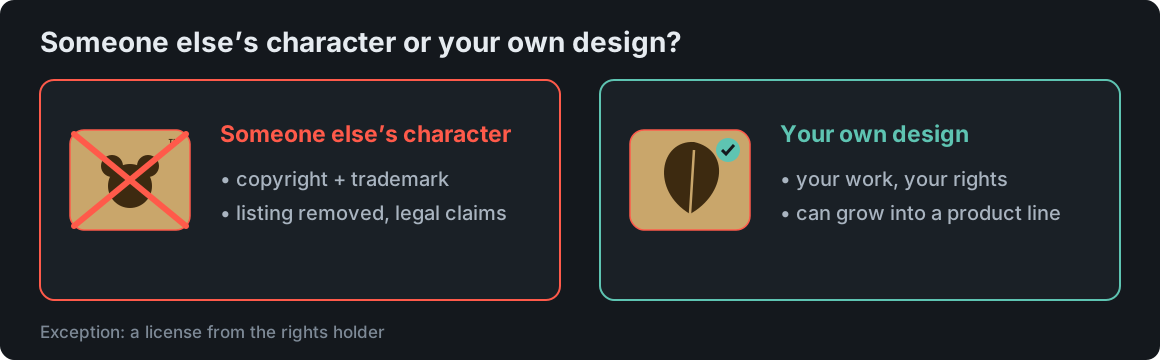
The same goes for the small stuff: fonts (the license must allow commercial use), “personal use only” clip art, photos pulled from the web for a listing, map data (OpenStreetMap requires attribution). Your own design has one more advantage: it’s yours. You can grow it into a line, protect it, and nobody will pull it off the marketplace. This post isn’t legal advice — when in doubt, ask an IP attorney.
Making these products without drawing from scratch
Most items in the table above are parametric designs: you enter dimensions, sheet thickness and text, and the cut file builds itself. Laser MTS has generators for boxes, coin banks, puzzles, maps from OpenStreetMap (Pro plan), clock faces, houses and dollhouses (Pro plan), bird feeders (Pro plan) and keychains and tags from a spreadsheet of names (Pro plan). Each one saves SVG, DXF and a LightBurn project with layers, so a ready file goes to the laser — and you spend your time on photos and customers.
Frequently asked questions
What sells best from a laser cutter?
There’s no single answer — what keeps showing up on marketplaces is personalized gifts: name tags and signs, keychains, boxes, coin banks, puzzles, city maps, clocks, seasonal decor. It’s not the product that wins but the photo, the timing and how easy it is to order.
Which product should I start with?
One you cut from a single file, that fits in an envelope and has an obvious occasion — a name tag or a keychain, for example. Add a box and a card and you have three price levels from one template.
Can I sell laser-cut items with cartoon characters?
Not without a license. The character is a copyrighted work and its name and likeness are usually trademarks; private-use exceptions don’t cover selling. Marketplaces remove such listings once the rights holder reports them.
When should I start making Christmas products?
Listings should be live by September, production starts in October, and the last shipments go out in mid-December. Plan Valentine’s Day right after — it comes up in six weeks.